
Table of Contents
Voicemail detection is one of the first problems you hit when building AI outbound calling campaigns. Your AI agent dials a number, someone "answers," and your agent starts talking — only to realize it is speaking to an answering machine. The result: wasted AI model costs, a confused voicemail recording, and no useful outcome.
For developers building AI phone agents, voicemail detection is not optional. It is a core requirement for any outbound campaign that needs to run efficiently at scale.
This guide covers how voicemail detection works, the different approaches available, and how to implement it in your AI calling pipeline.
What Is Voicemail Detection?
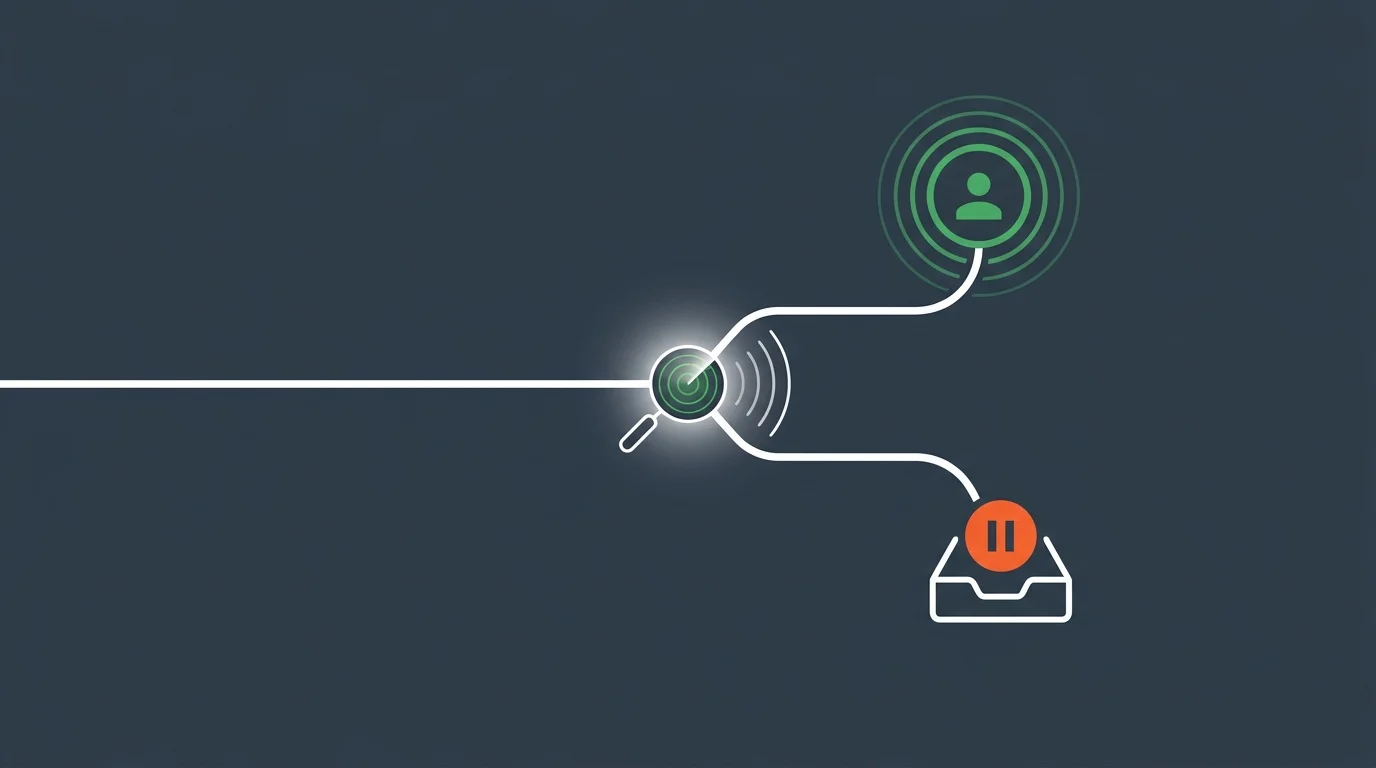
Voicemail detection, also known as Answering Machine Detection (AMD), is the process of determining whether an outbound call was answered by a live person or a voicemail system. This happens in the first few seconds after the call connects, before the AI agent starts its pitch.
Why it matters:
- Cost savings: AI model usage is billed per minute. Talking to a voicemail for 30 seconds wastes money on every call.
- Campaign accuracy: Your conversion metrics become unreliable if voicemail calls are counted as "answered."
- Professional impression: An AI agent rambling its pitch into a voicemail greeting sounds broken, not professional.
- Voicemail strategy: Once detected, you can leave a targeted pre-recorded message or simply hang up and retry later.
How Voicemail Detection Works
Voicemail detection analyzes the audio in the first 2 to 5 seconds after a call is answered. There are three main approaches, each with different trade-offs.
1. Tone-Based Detection
The simplest method. After a voicemail greeting plays, most systems emit a "beep" tone (typically 400–500Hz). The detector listens for this tone and classifies the call as voicemail when it hears it.
Pros: Very accurate once the beep is detected. Zero false positives.
Cons: The beep only comes after the full greeting plays (5–15 seconds). By then, you have already wasted time and possibly started speaking. Some modern voicemail systems do not use a beep at all.
2. Cadence-Based Detection
Analyzes the speech pattern of whoever answers. Voicemail greetings tend to be long, uninterrupted monologues ("Hi, you've reached John. I'm not available right now. Please leave a message after the beep."). Live humans tend to answer with short phrases ("Hello?" or "This is John.") followed by silence as they wait for the caller to speak.
The detector measures:
- Length of initial speech: Voicemails are typically 3–10 seconds of continuous speech. Humans answer in under 2 seconds.
- Silence gaps: Humans pause and wait for a response. Voicemails play through without pausing.
- Speech energy patterns: Voicemail greetings have consistent energy. Human speech is more dynamic.
Pros: Can detect voicemail within 2–4 seconds, before the greeting finishes. Works without waiting for a beep.
Cons: Not 100% accurate. Some humans answer with long greetings. Some voicemails are very short. Accuracy ranges from 85–95% depending on implementation.
3. AI/ML-Based Detection
Uses a machine learning model trained on thousands of call recordings to classify the answerer. The model analyzes multiple signals simultaneously: speech cadence, frequency patterns, background noise, and even the semantic content of what is being said.
Pros: Highest accuracy (95%+). Improves over time with more data. Can detect edge cases that rule-based systems miss.
Cons: Adds latency (the model needs 1–3 seconds of audio to classify). Requires a trained model or third-party service.
The Accuracy vs. Latency Trade-Off
The fundamental tension in voicemail detection is speed versus accuracy.
The sweet spot for most AI calling campaigns is 2–4 seconds. This gives the detector enough audio to make a reliable classification while keeping the delay short enough that live callers do not hang up.
Implementing Voicemail Detection for AI Agents
There are several ways to add voicemail detection to your AI outbound calling pipeline.
Approach 1: Carrier-Level AMD
Many telephony carriers (Telnyx, Twilio, Vonage) offer built-in answering machine detection as a call parameter. When you initiate an outbound call, you enable AMD, and the carrier classifies the call before connecting it to your application.
// Example: Initiating a call with carrier AMD enabled
POST /api/v1/calls
{
  "from": "+13125550100",
  "to": "+14155550200",
  "mode": "streaming",
  "answering_machine_detection": "detect",
  "system_prompt": "You are a sales agent calling on behalf of..."
}
The carrier analyzes the first few seconds of audio and sends a webhook event indicating human or machine. Your application then decides what to do:
- Human detected: Connect to the AI agent and start the conversation.
- Machine detected: Leave a pre-recorded message, or hang up and schedule a retry.
Pros: No additional infrastructure. Low latency. Carrier has extensive training data.
Cons: Accuracy varies by carrier (typically 85–90%). You have limited control over detection parameters.
Approach 2: AI Agent Self-Detection
Instead of relying on the carrier, let your AI agent detect voicemail itself. Include instructions in the system prompt that tell the AI how to handle a voicemail greeting.
{
  "system_prompt": "You are a sales agent for TechCorp. IMPORTANT: When the call connects, listen carefully to the first response. If you hear a voicemail greeting (e.g., 'You have reached...', 'Please leave a message...', or a long uninterrupted monologue), use the handle_voicemail tool immediately. Do NOT start your pitch until you confirm a live person is on the line. A live person will typically say 'Hello?' or 'This is [name]' and then wait for you to speak.",
  "tools": [
    {
      "name": "handle_voicemail",
      "description": "Called when voicemail is detected. Decides whether to leave a message or hang up.",
      "parameters": {
        "action": {
          "type": "string",
          "enum": ["leave_message", "hang_up"],
          "description": "Whether to leave a voicemail message or end the call"
        }
      }
    }
  ]
}
The AI model listens to the initial audio, recognizes voicemail patterns from its training data, and invokes the tool accordingly.
Pros: No carrier dependency. The LLM's language understanding catches nuanced greetings. Works with any telephony provider.
Cons: Uses AI model time (and cost) during the detection phase. The LLM may occasionally misclassify.
Approach 3: Hybrid Detection
Combine carrier-level AMD with AI agent instructions for the highest accuracy.
- Enable carrier AMD to catch obvious voicemails (long greetings, beep tones)
- If the carrier classifies as "human," connect to the AI agent
- The AI agent has secondary instructions to detect voicemails that slipped through
This layered approach catches 95%+ of voicemails while minimizing false positives.
What to Do When Voicemail Is Detected
Detecting voicemail is only half the problem. You also need a strategy for what happens next.
Option 1: Hang Up and Retry
The simplest approach. When voicemail is detected, end the call and add the number back to the queue for a retry at a different time.
def handle_voicemail(call_id, phone_number):
    # End the call
    requests.post(
        f"https://agents.bubblyphone.com/api/v1/calls/{call_id}/hangup",
        headers={"Authorization": f"Bearer {API_KEY}"}
    )
    # Schedule retry in 2 hours
    schedule_retry(phone_number, delay_hours=2)
Best for: High-volume campaigns where you want to speak to live people only. Set a maximum retry count (typically 3) to avoid annoying the prospect. For high-volume retries, see the guide on AI dialer patterns.
Option 2: Leave an AI-Generated Voicemail
Let the AI leave a brief, personalized message. This is more effective than a pre-recorded blast because the AI can reference the prospect's name and context.
In your system prompt:
If you detect a voicemail, leave this message: "Hi [prospect name], this is Sarah from TechCorp. I'm calling about our new project management tool that's helped companies like yours reduce delivery times by 30%. I'll try you again tomorrow, or you can reach me at 312-555-0100. Have a great day!"Option 3: Drop a Pre-Recorded Message
Some telephony platforms support "voicemail drop" — playing a pre-recorded audio file after the beep. This ensures consistent messaging and avoids AI model costs for the voicemail portion.
Option 4: Send a Follow-Up SMS or Email
When voicemail is detected, trigger a different channel. Use a tool call to send an SMS or email with your pitch instead. (This pairs well with multi-channel call automation workflows.)
{
  "name": "send_followup_sms",
  "description": "Send an SMS when the prospect doesn't answer",
  "parameters": {
    "to": { "type": "string" },
    "message": { "type": "string" }
  }
}
This multi-channel approach often yields higher response rates than repeated calls alone.
Voicemail Detection Metrics to Track
If you are running AI outbound campaigns, monitor these metrics to tune your voicemail detection.
Detection Accuracy Rate
Formula: (Correctly classified calls / Total calls) × 100
Review a sample of call recordings weekly. Listen to calls classified as "human" and "machine" to verify accuracy. Target 90%+ accuracy.
False Positive Rate
Formula: (Live calls classified as voicemail / Total live calls) × 100
This is the most costly error. A false positive means a live prospect answered and your system hung up on them. Keep this under 5%.
False Negative Rate
Formula: (Voicemails classified as human / Total voicemails) × 100
Less critical but still wastes AI model costs. Your AI talks to a voicemail machine for 30–60 seconds before realizing. Aim for under 15%.
Average Detection Time
How long it takes to classify the call. Shorter is better for live caller experience, but too short reduces accuracy. Target 2–4 seconds.
Voicemail Rate
Formula: (Voicemail calls / Total answered calls) × 100
Typical voicemail rates for outbound campaigns range from 30% to 60%, depending on time of day, industry, and caller ID reputation. If your voicemail rate exceeds 70%, consider adjusting call timing or improving your caller ID reputation.
Best Practices for Voicemail Detection in AI Campaigns
Call at Optimal Times
Reduce the number of voicemails by calling when people are most likely to answer. B2B prospects answer best between 10am–12pm and 2pm–4pm local time on Tuesdays through Thursdays. B2C calls perform better in the early evening (5pm–7pm).
Use Local Caller IDs
People are significantly more likely to answer calls from local area codes. Purchase numbers in the same area code as your prospects.
# Purchase a local Chicago number
curl -X POST "https://agents.bubblyphone.com/api/v1/phone-numbers" \\
  -H "Authorization: Bearer bp_live_sk_your_key" \\
  -d '{"country_code": "US", "area_code": "312"}'
Set Retry Logic
Do not call the same number more than 3 times. Space retries at least 2 hours apart. Alternate between morning and afternoon attempts. After 3 voicemails, switch to email or SMS.
Tune Detection Sensitivity
If you are getting too many false positives (hanging up on live people), increase the detection window. If you are wasting too much time on voicemails, decrease it. There is no universal setting — tune based on your specific campaign data.
Handle Edge Cases
Some scenarios confuse voicemail detectors:
- Custom greetings: Short personal greetings ("Hey, leave a message") sound like a live answer.
- Google Voice screening: Google Voice asks callers to identify themselves, which sounds like a live conversation.
- Business auto-attendants: Company phone systems that answer with a menu can be misclassified.
- Slow answerers: People who answer with a long pause before speaking may trigger false positives.
For these edge cases, the AI agent self-detection approach (Approach 2 above) works best, since the LLM can understand the semantic content of what is being said.
Voicemail Detection and Compliance
Voicemail detection intersects with telemarketing regulations in important ways.
TCPA (United States)
The Telephone Consumer Protection Act restricts automated calls to mobile phones. If you use AMD, the detection delay may cause "dead air" when a live person answers — which can lead to complaints and violations. The FTC requires that live calls connect within 2 seconds of the person answering.
Ofcom (United Kingdom)
UK regulations are stricter. Ofcom requires that calls connect to a live agent (or in this case, an AI agent) within 2 seconds. AMD delays exceeding this threshold violate the rules. The "abandoned call" rate (calls where no agent connects) must stay below 3%.
Best Practice
Keep AMD detection windows under 3 seconds. If detection is inconclusive, default to connecting the AI agent rather than hanging up. A brief moment of silence is better than an abandoned call from a compliance perspective.
Always consult legal counsel for your specific jurisdiction before launching outbound campaigns.
Frequently Asked Questions
What is voicemail detection in AI calling?
Voicemail detection (also called Answering Machine Detection or AMD) is the process of determining whether an outbound call was answered by a live person or a voicemail system. For AI phone agents, this determines whether to start the conversation or take an alternative action like leaving a message or hanging up.
How accurate is voicemail detection?
Accuracy depends on the method used. Tone-based detection (waiting for the beep) is nearly 100% accurate but slow. Cadence-based detection achieves 85–95% accuracy within 2–4 seconds. AI/ML-based detection reaches 95%+ accuracy. Hybrid approaches combining multiple methods deliver the best results.
Does voicemail detection add delay to calls?
Yes. The detector needs 1–5 seconds of audio to classify the call. During this window, the live caller hears silence or a brief pause. For most AI calling platforms, this delay is 2–4 seconds, which is acceptable for outbound campaigns.
Should I leave AI-generated voicemails?
It depends on your campaign. For sales outreach, a brief personalized voicemail can increase callback rates by 20–30%. For appointment reminders, leaving the message ensures the information is delivered. For surveys, it is usually better to hang up and retry since you need a live conversation.
How do I reduce my voicemail rate?
Call during optimal hours (10am–4pm for B2B, 5pm–7pm for B2C), use local caller IDs, and maintain a clean branded caller ID reputation. These tactics can reduce voicemail rates from 60% to 30–40%.
Can BubblyPhone Agents detect voicemails?
BubblyPhone Agents supports voicemail handling through AI agent self-detection. By including voicemail detection instructions in your system prompt, the AI model identifies voicemail greetings and invokes a tool to handle them appropriately. See our guides on AI outbound calls and AI cold calling for full campaign setup.
Conclusion
Voicemail detection is a critical component of any AI outbound calling system. Without it, you waste AI model costs, pollute your campaign metrics, and leave a poor impression with confused voicemail recordings.
The best approach for most AI phone agent deployments is a hybrid strategy: use carrier-level AMD for fast initial classification, and equip your AI agent with prompt-based detection as a secondary layer. Combine this with smart retry logic and multi-channel follow-up for the best results.
Ready to build AI outbound campaigns? Get started with BubblyPhone Agents — set up your AI agent, configure voicemail handling in the system prompt, and launch your first campaign. Check out the API documentation for the full developer reference.
Ready to build your AI phone agent?
Connect your own AI to real phone calls. Get started in minutes.
Related Articles

 6 min
6 minKore.ai Alternative: When to Pick Something Lighter
Kore.ai serves large enterprises with heavy compliance needs. For most teams, a lighter alternative is a better fit. Here is how to decide.

 5 min
5 minAir.ai Alternative: Developer-First Voice AI Without the Pricing Mystery
Looking for an Air.ai alternative with transparent pricing and a developer-first workflow? A practical comparison of what each platform offers and who fits where.

 7 min
7 minLocal vs Toll-Free Numbers for AI Phone Agents: Which to Use When
The real difference between local and toll-free phone numbers for AI phone agents. Answer rate data, cost comparison, and when each type actually makes sense.

 8 min
8 minDTMF vs Voice Recognition: When to Use Each for AI Phone Agents
When to use DTMF keypad input versus voice recognition in AI phone agents. A practical guide to the trade-offs, the hybrid pattern, and the cases where each wins.