
Voice App Development: A Complete Guide to Building AI Phone Agents
Table of Contents
Voice app development has changed dramatically in the past year. Building an AI-powered phone application used to require deep telephony expertise, months of infrastructure work, and a team of specialized engineers. Today, a single developer can build a production AI phone agent in an afternoon using a telephony API and an LLM.
This guide walks you through the complete process of building an AI voice application — from architecture decisions to production deployment.
What Is Voice App Development?
Voice app development is the process of building applications that interact with users through voice — specifically through phone calls. This includes:
- AI receptionists that answer incoming calls and run the call flow
- Outbound sales agents that handle outbound calling to prospects
- Customer support bots that handle inquiries
- Appointment scheduling systems accessible by phone
- Interactive surveys conducted via call
- Payment reminder systems with voice interaction
Modern voice app development is API-driven. You write code that configures AI behavior, handles events, and processes results — the telephony platform manages the phone infrastructure.
Architecture Overview
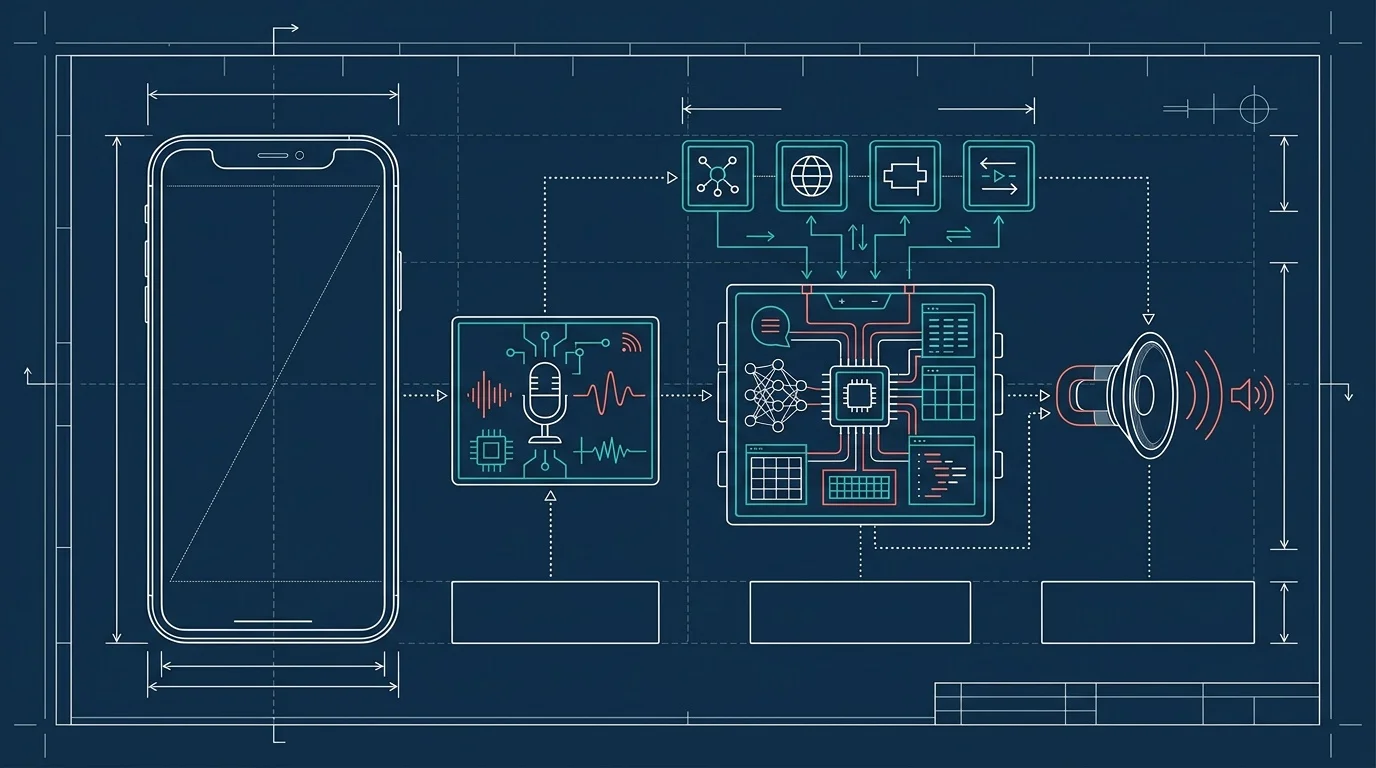
Every AI voice application has the same core architecture:
Phone Network (PSTN)
    ↓
Telephony Platform (handles SIP, numbers, audio)
    ↓
AI Processing Layer (STT → LLM → TTS, or native audio model)
    ↓
Business Logic (tools, webhooks, CRM integration)
    ↓
Data Layer (transcripts, recordings, analytics)
Your job as a developer is to configure the AI Processing Layer and build the Business Logic. The telephony platform handles everything below that.
Choosing Your Architecture
Two approaches dominate voice app development today:
Streaming Architecture: Audio flows directly between the phone network and an AI model (GPT Realtime, Gemini Live) via WebSocket. The AI model handles STT, reasoning, and TTS in a single step. Sub-second latency. Minimal code.
Webhook Architecture: The telephony platform transcribes speech and sends events to your server. Your server processes each event with any LLM, generates a response, and sends it back. Higher latency (1–3 seconds) but maximum flexibility.
Start with streaming. Switch to webhooks only if you need capabilities that streaming does not support.
Step-by-Step: Building Your First AI Phone Agent
Let us build a working AI phone agent from scratch using BubblyPhone Agents.
Prerequisites
- A BubblyPhone Agents account (sign up)
- An API key (created in the dashboard or via API)
- $5 credit balance (minimum for making calls)
Step 1: Purchase a Phone Number
# Search for available US numbers
curl -X GET "https://agents.bubblyphone.com/api/v1/phone-numbers/available?country_code=US" \\
  -H "Authorization: Bearer bp_live_sk_your_key"

# Purchase one
curl -X POST "https://agents.bubblyphone.com/api/v1/phone-numbers" \\
  -H "Authorization: Bearer bp_live_sk_your_key" \\
  -H "Content-Type: application/json" \\
  -d '{"country_code": "US", "area_code": "312"}'
You now have a real phone number. Anyone can call it.
Step 2: Define Your AI Agent
The system prompt is the most important part of your voice app. It defines the AI's personality, goals, knowledge, boundaries, and when to transfer to a human.
PATCH /api/v1/phone-numbers/{id}
{
  "mode": "streaming",
  "system_prompt": "You are Alex, a friendly receptionist for Downtown Dental. Your responsibilities:\n\n1. Answer calls warmly: 'Thanks for calling Downtown Dental, this is Alex. How can I help you?'\n2. Schedule appointments using the book_appointment tool\n3. Answer questions about services (cleanings, fillings, crowns, whitening)\n4. Provide office hours: Mon-Fri 8am-6pm, Sat 9am-1pm\n5. For emergencies, tell them to call 911 or go to the ER\n6. Transfer to a human if the caller is upset or you cannot help\n\nKeep responses under 2 sentences. Be warm but efficient.",
  "voice": "Kore",
  "language": "en-US",
  "tools": [
    {
      "name": "book_appointment",
      "description": "Book a dental appointment",
      "parameters": {
        "patient_name": {"type": "string"},
        "service": {"type": "string", "enum": ["cleaning", "filling", "crown", "whitening", "consultation"]},
        "preferred_date": {"type": "string"},
        "preferred_time": {"type": "string"},
        "phone_number": {"type": "string"}
      }
    },
    {
      "name": "check_availability",
      "description": "Check available appointment slots for a given date",
      "parameters": {
        "date": {"type": "string"}
      }
    }
  ],
  "tool_webhook_url": "https://your-server.com/webhooks/dental-tools",
  "transfer_number": "+13125559999",
  "auto_transfer_tool": true,
  "recording_enabled": true,
  "transcription_enabled": true
}
Step 3: Build Your Tool Handler
The AI invokes tools during the conversation. Your server handles them:
from flask import Flask, request, jsonify

app = Flask(__name__)

@app.post("/webhooks/dental-tools")
def handle_tool():
    tool = request.json["tool_name"]
    params = request.json["parameters"]

    if tool == "check_availability":
        slots = get_available_slots(params["date"])
        return jsonify({"result": f"Available times on {params['date']}: {', '.join(slots)}"})

    if tool == "book_appointment":
        appointment = create_appointment(
            name=params["patient_name"],
            service=params["service"],
            date=params["preferred_date"],
            time=params["preferred_time"],
            phone=params["phone_number"]
        )
        return jsonify({"result": f"Appointment booked for {params['patient_name']} on {params['preferred_date']} at {params['preferred_time']} for {params['service']}. Confirmation number: {appointment.id}"})

    return jsonify({"result": "Unknown tool"})
Step 4: Test
Call your phone number. The AI answers, handles the conversation, and invokes tools when appropriate. Review the transcript and recording:
# List recent calls
curl -X GET "https://agents.bubblyphone.com/api/v1/calls?limit=5" \\
  -H "Authorization: Bearer bp_live_sk_your_key"

# Get transcript
curl -X GET "https://agents.bubblyphone.com/api/v1/calls/{id}/transcript" \\
  -H "Authorization: Bearer bp_live_sk_your_key"
Step 5: Iterate
Review the transcripts. Find where the AI stumbles. Update the system prompt. Test again. This cycle — test, review, refine — is the core of voice app development.
System Prompt Engineering for Voice
Writing system prompts for voice applications is different from writing them for chatbots. Voice has unique constraints.
Keep Responses Short
Long AI responses feel unnatural on a phone call. People expect conversational turn-taking, not monologues. Instruct the AI to keep responses under 2–3 sentences.
Bad: "Thank you so much for calling Downtown Dental! We offer a wide range of services including cleanings, fillings, crowns, and whitening treatments. Our office hours are Monday through Friday from 8am to 6pm and Saturday from 9am to 1pm. How can I assist you today?"
Good: "Thanks for calling Downtown Dental, this is Alex. How can I help you?"
Front-Load Important Information
On a phone call, the first few words matter most. Put the key information first.
Bad: "After checking our system, I can confirm that we do have availability on Thursday at 2pm."
Good: "Thursday at 2pm works. Shall I book that?"
Handle Silence and Interruptions
Voice conversations have pauses, interruptions, and cross-talk. Include instructions for handling these:
If the caller is silent for more than 3 seconds, ask: "Are you still there?"
If the caller interrupts you, stop speaking and listen to what they are saying.
If you do not understand something, ask them to repeat it once before offering to transfer.
Spell Out Expectations
Unlike chat, the AI cannot show a form or a list on a phone call. When collecting information, ask for one thing at a time:
When booking an appointment, collect information in this order:
1. Ask for their name
2. Ask what service they need
3. Ask what day works best
4. Check availability using the check_availability tool
5. Confirm the booking
Do NOT ask for all information at once.
Adding Outbound Calling
Once your inbound agent works, adding outbound capabilities is a single API call:
# Outbound call to confirm an appointment
response = requests.post(
    "https://agents.bubblyphone.com/api/v1/calls",
    headers={"Authorization": f"Bearer {API_KEY}"},
    json={
        "from": "+13125550100",
        "to": patient_phone,
        "mode": "streaming",
        "system_prompt": f"You are Alex from Downtown Dental. You are calling {patient_name} to confirm their {service} appointment on {date} at {time}. If they need to reschedule, use the reschedule tool. Keep it brief."
    }
)
For full outbound campaign development, see our guide on AI outbound calls.
Production Considerations
Error Handling
Voice applications need graceful error handling. If a tool call fails, the AI should not freeze — it should apologize and offer an alternative:
If a tool call fails or returns an error, say: "I'm sorry, I'm having a brief technical issue. Let me transfer you to someone who can help directly." Then use the transfer tool.Monitoring
Monitor your voice app with:
- Call volume: Inbound and outbound calls per hour/day
- Resolution rate: Calls handled without human transfer
- Average call duration: Shorter is generally better
- Error rate: Tool call failures, transfer failures
- Sentiment: Use post-call analysis on transcripts, or see the full call analysis guide, to track caller satisfaction
Cost Management
Voice apps have per-minute costs. Manage them with:
- Budget controls: Set per-API-key budgets in BubblyPhone
- Call duration limits: Instruct the AI to wrap up calls after 5 minutes
- BYOK: Use your own API keys to eliminate model markup
- Monitor usage: Check the billing API regularly
Scaling
BubblyPhone Agents supports up to 30 outbound calls per hour per number. For higher volume:
- Purchase multiple numbers and distribute calls
- Use different numbers for different campaigns or regions
- Monitor rate limits via API response headers and plan capacity around concurrent call limits
Frequently Asked Questions
What programming language should I use for voice app development?
Any language that can make HTTP requests and handle webhooks. Python, JavaScript/Node.js, Go, Ruby, PHP — all work. The telephony API is language-agnostic. For streaming mode, you may not need a server at all — just API calls to configure the agent.
How long does it take to build an AI phone agent?
A basic inbound AI agent (receptionist, FAQ handler) can be built in under an hour. An outbound campaign with tools, CRM integration, and analytics takes a day or two. Production-hardening (error handling, monitoring, prompt optimization) takes another week.
Do I need telephony experience?
No. Telephony APIs abstract away SIP, RTP, codecs, and carrier management. If you can make REST API calls and handle webhooks, you can build voice applications. For background on the telephony layer, see our guide on SIP trunking.
What AI models work best for voice applications?
For streaming mode: GPT Realtime (highest quality) and Gemini Live (best value). For webhook mode: any LLM with fast inference — GPT-4o, Claude, Gemini Flash, or Llama via Groq. Speed matters more than benchmark scores for voice apps.
How do I handle multiple languages?
Modern LLMs handle multilingual conversations natively. Set the language parameter on your phone number configuration, or instruct the AI to detect and respond in the caller's language. TTS voice availability varies by language.
Conclusion
Voice app development is more accessible than ever. With a telephony API and an LLM, any developer can build AI phone agents that answer calls, make outbound calls, book appointments, and integrate with business systems.
The key is to start simple: one phone number, one system prompt, one use case. Test with real calls, review transcripts, and iterate. Once the core works, add tools, outbound capabilities, and analytics.
Get started with BubblyPhone Agents and build your first voice app today.
Ready to build your AI phone agent?
Connect your own AI to real phone calls. Get started in minutes.
Related Articles

 7 min
7 minSierra AI Alternative: When You Want the API, Not the Enterprise Contract
Sierra is a well-funded enterprise customer service AI with outcome-based pricing starting around $150K/year. For teams that want a phone agent without a six-figure contract, here is the alternative.

 6 min
6 minKore.ai Alternative: When to Pick Something Lighter
Kore.ai serves large enterprises with heavy compliance needs. For most teams, a lighter alternative is a better fit. Here is how to decide.

 5 min
5 minAir.ai Alternative: Developer-First Voice AI Without the Pricing Mystery
Looking for an Air.ai alternative with transparent pricing and a developer-first workflow? A practical comparison of what each platform offers and who fits where.

 6 min
6 minBland AI Alternative: When a Simpler, Cheaper Developer API Wins
Bland AI is a strong voice agent platform, but tiered per-minute pricing and $299/$499 plan floors push developers to look for a simpler alternative. An honest comparison.